
9Mobile (formerly Etisalat Nigeria) offers internet services that often come with compatible routers or mobile hotspots.
If you’re one of its customers and you’re using a 9Mobile router, there will come a time when you’ll need to access the device’s admin panel so you can change your SSID and password, check your internet usage, or solve common problems. Signing in to your 9Mobile router You have a lot available from your 9Mobile router, but most people just don’t know where to get started. In this guide, we’ll show you how to log in to your 9Mobile router, and also cover default login information, step-by-step instructions, and tips for troubleshooting common problems.
How to login to 9Mobile router?
To access your 9Mobile router, you must login from your ‘web browser’ i.e. you must have a working internet connection.
Step 1: Connect to Router
- You can access the router wirelessly (WiFi) or through a network cable (Ethernet) if it’s a fixed broadband router.
- Just a gentle reminder to make sure you are connected to the right network if you are surrounded by multiple Wi-Fi networks.
Step 2: Open a Web Browser
- Start any web browser (Google Chrome, Firefox, Safari, etc).
Step 3: Input the IP Address of Your Router
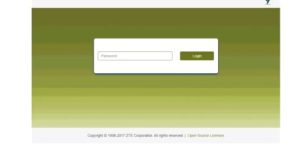
- Enter the default gateway of your router in the address bar. This is usually: http://192.168.8.1
- Some models might use
http://192.168.1.1orhttp://192.168.0.1. Check the back or bottom of your router for the exact address and then Press Enter .
Step 4: Fill the Username and Password
- A prompt will appear asking you for a username and password.
- Default Login Credentials
- Username = admin
- Password = admin or huawei
- Note: A few newer routers have some updated credentials printed on the label at the back.
- If you’ve already previously changed the password and forgotten it, you may need to reset the router (see below).
What You Can/Can’t Do after Logging in?
Once you’re logged in, you should see your router’s dashboard. From here, you can make changes as mention below.
- Change your Wi-Fi SSID and password
- Monitor data usage
- Set up parental controls
- Update firmware
- View connected devices
- Set up port forwarding or static IP addresses (for advanced routers)
Troubleshooting Common Login Issues:
1.Can’t Access the Login Page
- Double-check the IP address.
- Try another browser or clear cache/cookies.
- Opt to connect via wire, not Wi-Fi.
- Restart the router.
2. Forgot Username or Password
- Do a factory reset by pressing and holding the reset button (commonly with a paperclip) for 10-15 second.
- This will reset to factory condition but everything you set will disappear.
3. Login Page Loads, but Will Not Take Password
- Attempt default passwords such as admin, huawei, or 1234.
- If those don’t help, you can reach 9Mobile customer service or look for the official manual for your model.
Need Help? Contact 9Mobile Support
- Customer Care Line: 6464 (from 9Mobile line)
- Email: customercare@9mobile.com.ng
- Website: www.9mobile.com.ng
If you liked this article, then please send it to your friends and family who you think need help in managing their 9 Mobile internet!